For Apple Watch runners with a Mac

Your Apple Watch runs, on your Mac.

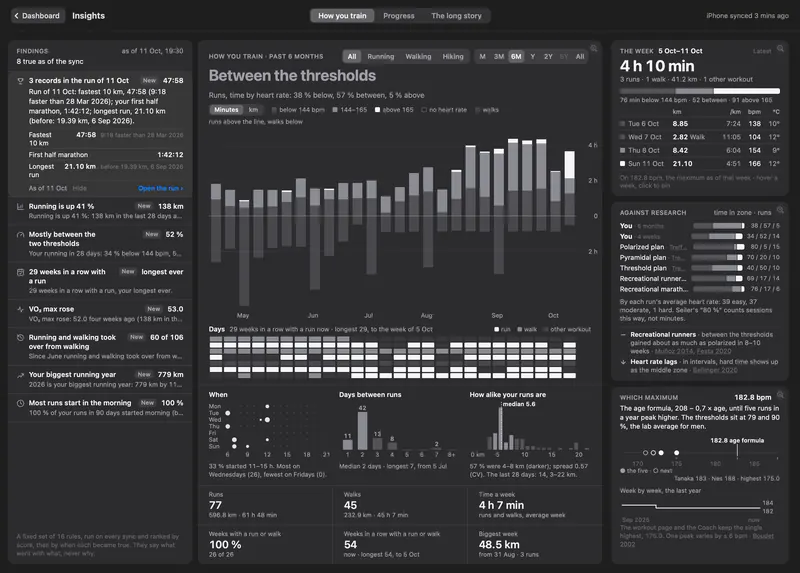
Every run you've ever recorded, on one screen that tells you what's working and what isn't. Finish a run, unlock your iPhone, and it's already on your Mac.

Coming soon to Mac and iPhone. Join the newsletter to get notified.

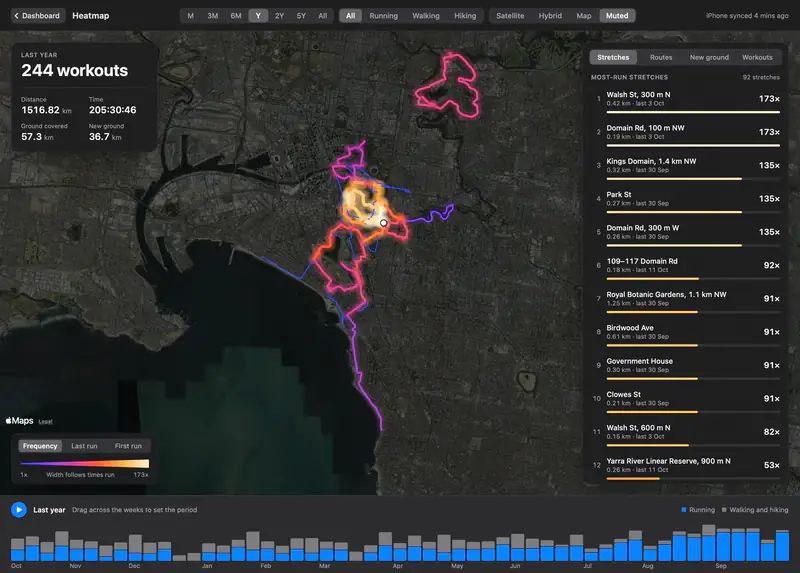
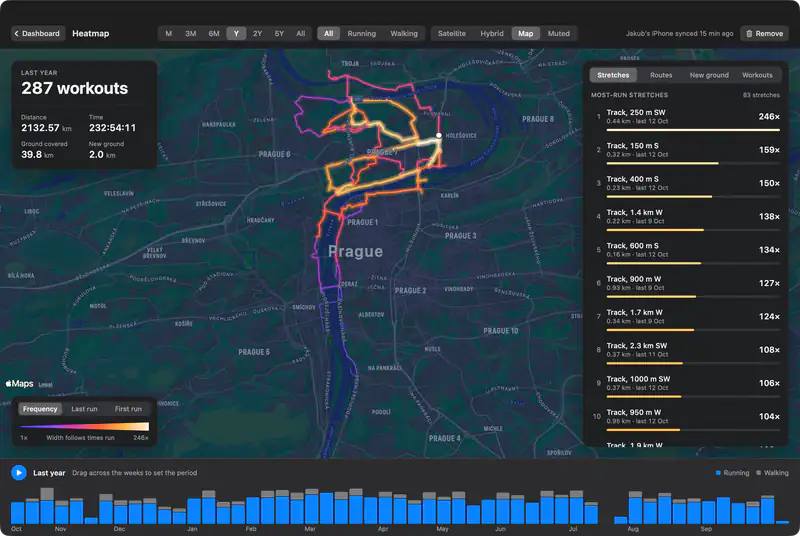
The heatmap: years of runs and walks drawn over the map of Prague, brightest where routes repeat.
Years of runs, walks and hikes drawn on one map, brightest where you go most.
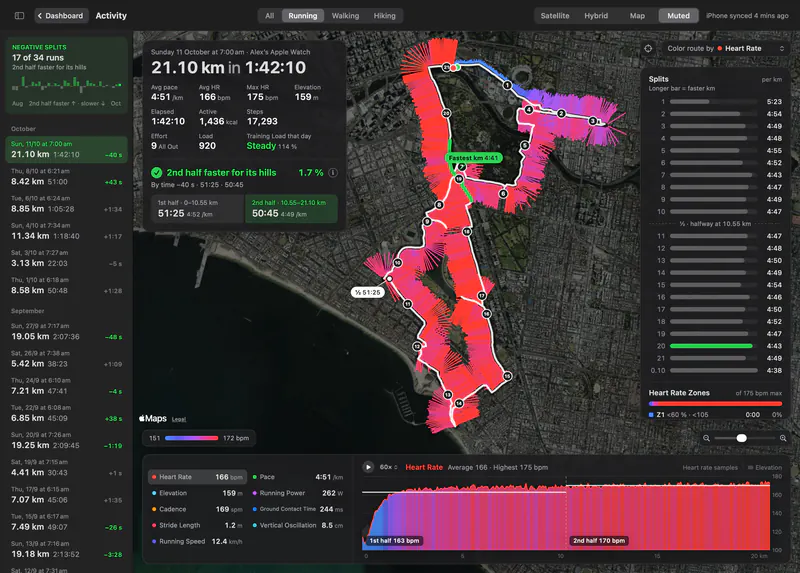
The half marathon on the map, its route drawn as bars coloured by heart rate, with splits and the heart rate chart.

Runs

Every run, stride by stride.

Open a run and its route is drawn as a fence of bars, longer where you were faster or your heart rate was higher. Pick a kilometre to see it alone, or replay the run at up to 300 times real speed and watch the pace change on the hills.
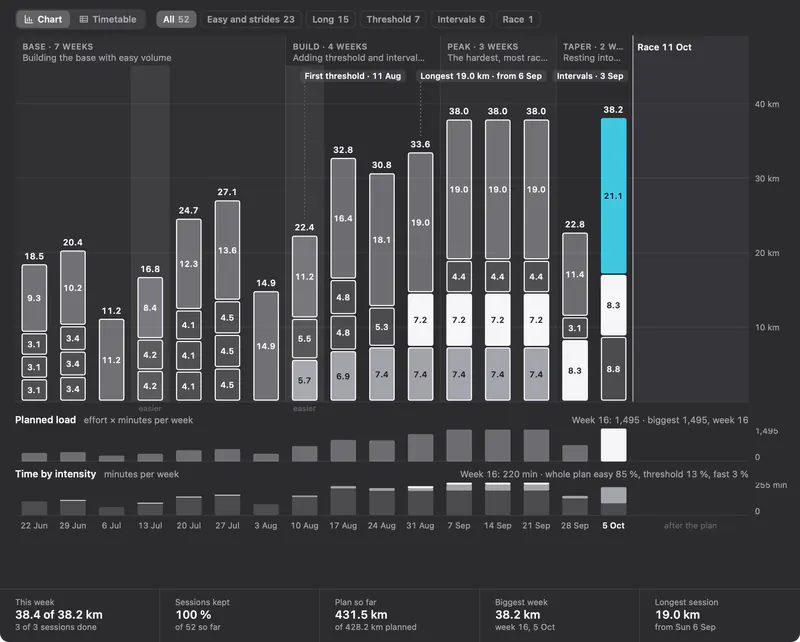
A 16-week half marathon plan: base, build, peak and taper weeks, every session done, race day highlighted.

Coach

A training plan that knows when to back off.

Give it a race and a date, or a time to beat, and Coach plans every week from paces you've actually run. When your sleep, overnight HRV and resting heart rate say last night was a poor one, today's hard session moves or turns easy, and the plan tells you why.

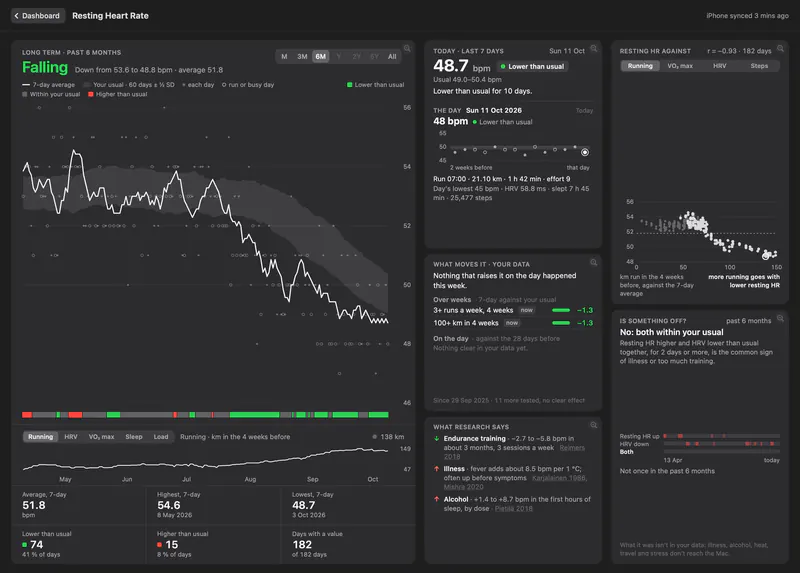
The Resting Heart Rate page: falling from 53.6 to 48.8 bpm over six months, below the runner's usual.

Recovery

How ready you are this morning.

Readiness scores you from 1 to 10 at every HRV reading your watch takes, against your own last 60 days and the workouts of the last day. Beside it, resting heart rate, HRV and cardio recovery each have a band of what's usual for you: green when you're better than usual, red when you're worse.

Everything else a runner looks at

Every card on the dashboard opens a page of its own, built around your own usual rather than someone else's average.

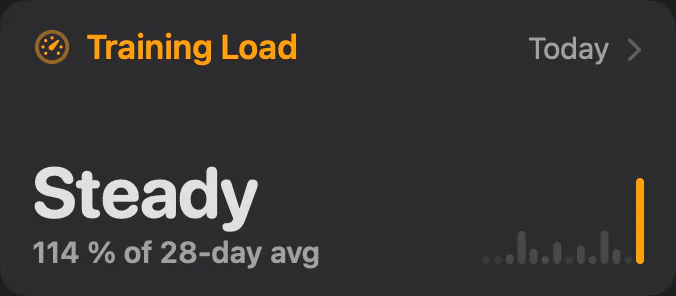
The Training Load card from the dashboard.

Training Load

Your last 7 days against your last 28, from the effort you rated or your watch estimated.

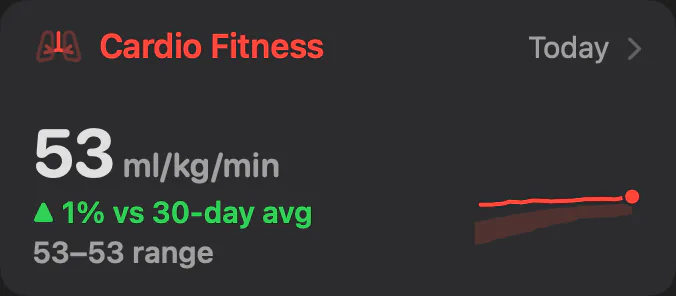
The Cardio Fitness card from the dashboard.

Cardio Fitness

Every VO₂ max estimate your watch has made, against your usual and the levels for your age.

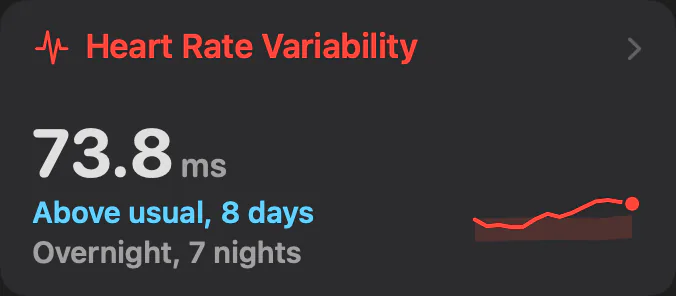
The Heart Rate Variability card from the dashboard.

Heart Rate Variability

Overnight HRV as a 7-day average, against your usual band.

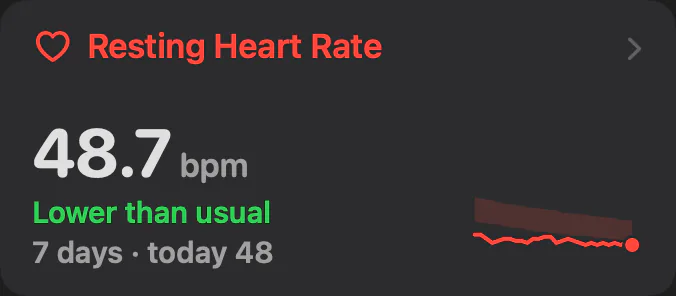
The Resting Heart Rate card from the dashboard.

Resting Heart Rate

Your morning baseline against its own usual band.

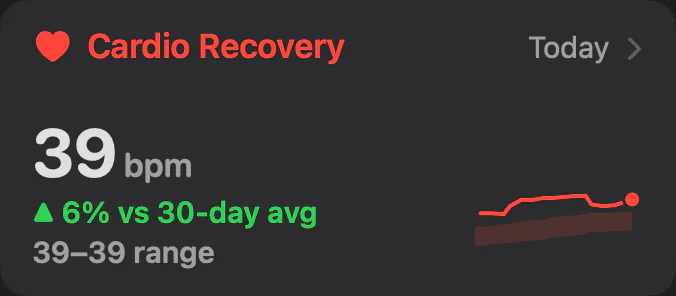
The Cardio Recovery card from the dashboard.

Cardio Recovery

How far your heart rate falls in the minute after a run.

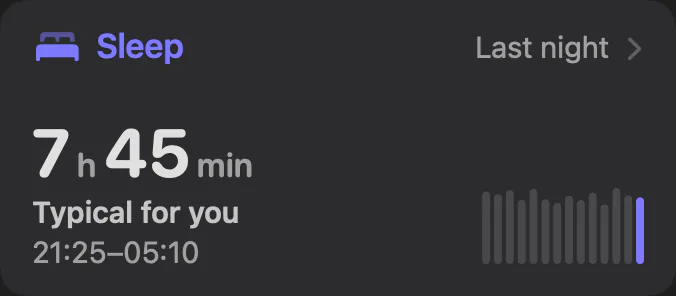
The Sleep card from the dashboard.

Sleep

Each night against your usual: when you slept, the stages, and how regular your nights are.

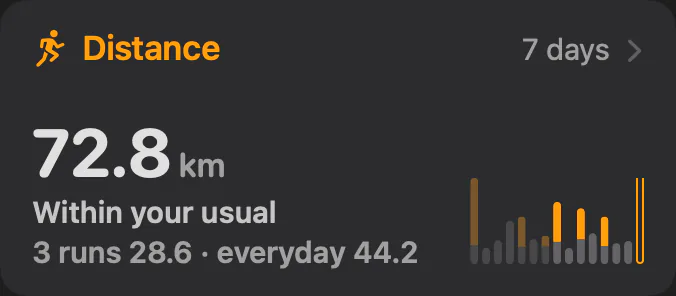
The Distance card from the dashboard.

Distance

Kilometres by week, split into runs, walks and the rest, with a check on runs that jump past your recent longest.

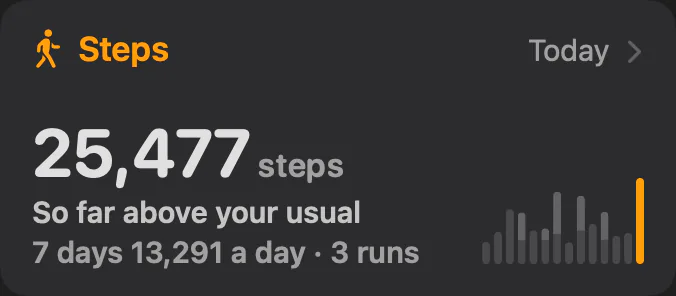
The Steps card from the dashboard.

Steps

Your steps outside your runs, so a run day can't hide a still one.

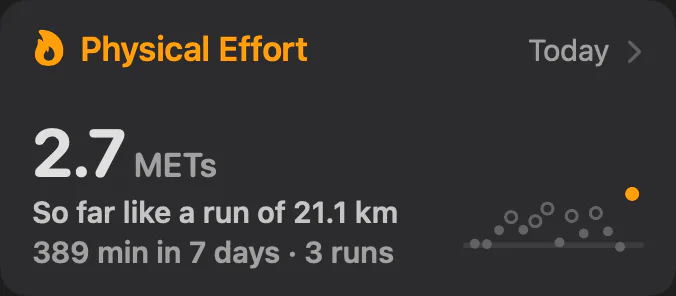
The Physical Effort card from the dashboard.

Physical Effort

How hard each day was, against your usual rest days, workout days and runs of that length.

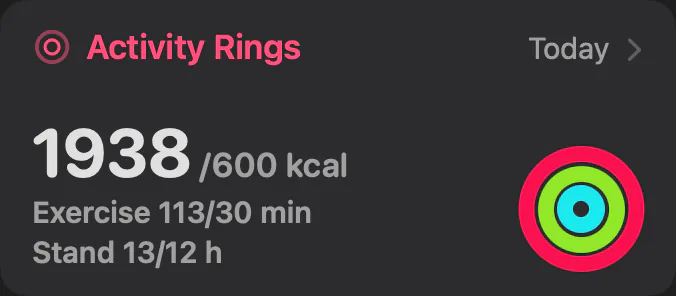
The Activity Rings card from the dashboard.

Activity Rings

A calendar of every day's rings, your streaks and the hours you moved.

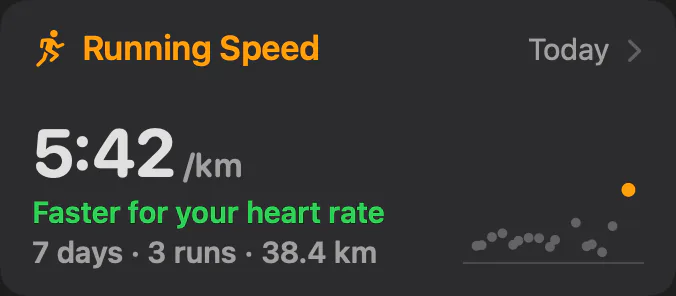
The Running Speed card from the dashboard.

Running Speed

Your pace over the last 7 days, and how far you go per heartbeat.

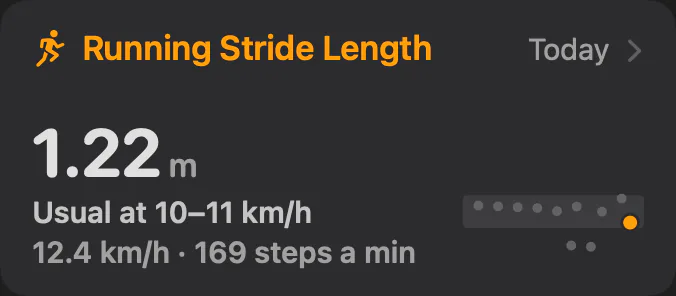
The Stride Length card from the dashboard.

Stride Length

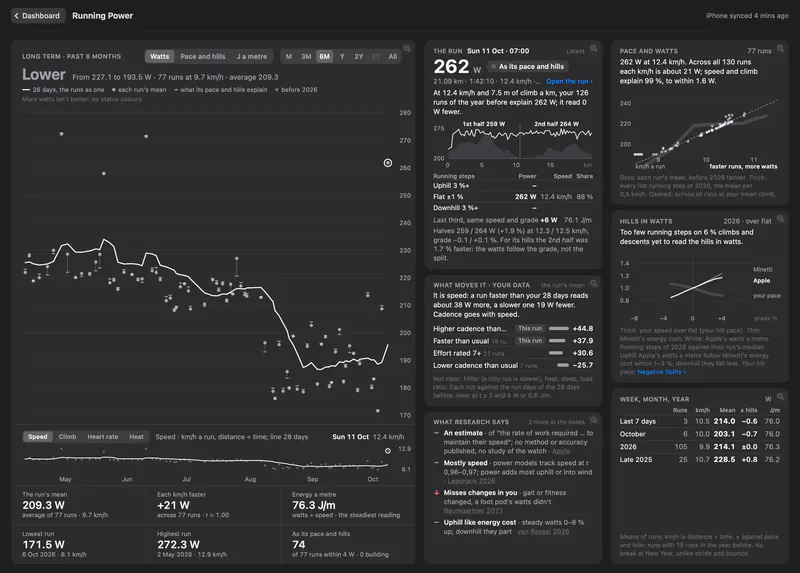
Your step at the same speed against your usual, and whether you speed up by cadence or by stride.

Every chart has a tooltip, and every study the app cites links to the paper.

What it does after every run

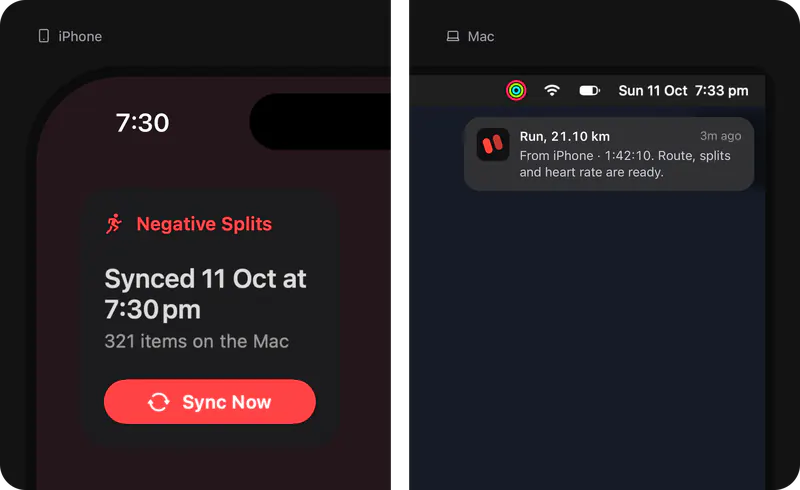
Your run is on your Mac before you've taken your shoes off.Unlock your iPhone after a run and within a minute the run is on the Mac with its route, splits and heart rate. The first sync brings every year Apple Health holds.

The iPhone widget (synced 11 Oct at 7:30 pm, 321 items on the Mac, Sync Now) beside the Mac notification: Run, 21.10 km, from iPhone, 1:42:10, route, splits and heart rate are ready.

Swipe to see the whole screen

Your health data stays at home.

The iPhone app reads Apple Health and sends it straight to your Mac over your own network, encrypted with a key only your devices have. It's stored on your Mac and nowhere else. There's no server in between, no account to make, and nothing goes to iCloud except that key, which travels in your iCloud Keychain. We never see your data.

Switch off Send to Mac and nothing leaves the iPhone. Remove Data from Mac deletes your health records from the Mac.

Set it up once, then just run.

  1. Install it on your Mac and open it.

    It lives in the menu bar. Opening it once makes the key your iPhone will use to find it.

  2. Install the free iPhone app and switch on Running.

    Use the same Apple Account with iCloud Keychain on. When Apple Health asks, allow it and pick All Recorded Data, so every year comes over.

  3. Keep both on the same Wi-Fi.

    Your history arrives in the first sync, and every run after it follows on its own.

Pricing

Announced at launch

We set the price when the app goes live, in your local currency. Join the list and you hear it first.

Get launch access

Smarter with every run.

Coming soon to Mac and iPhone. Join the newsletter to get notified.

Questions

What does it cost?

We have not set the price yet. It is announced at launch and shown in your local currency on the App Store, and everyone on the list hears first. The iPhone app is free.

When does it launch?

Soon. Everyone on the list hears first, with one email on the day.

What do I need?

A Mac with macOS 26 or later and an iPhone with iOS 26 or later, signed in to the same Apple Account with iCloud Keychain on, and on the same Wi-Fi. And an Apple Watch: heart rate, HRV, sleep, VO₂ max, running power and form all come from it.

I record runs with a Garmin or another app. Will it work?

Runs that other apps save to Apple Health come over too, with their distance and time. The deeper pages, like splits for the hills, running form and heart rate during the run, need what an Apple Watch records.

Does my health data go to a server?

No. It travels from your iPhone to your Mac over your own network, encrypted, and it's stored only on your Mac. There's no account and nothing in iCloud except the key that pairs your devices.

Does it bring in my old runs?

Yes. When Apple Health asks, pick All Recorded Data and every year it holds comes over in the first sync, so your trends, records and heatmap start with your whole history.

What if my Mac is asleep or I'm away?

Your iPhone keeps track of what's new and sends it the next time both are on the same network and the Mac is awake. Nothing gets lost.

Is it only for running?

It's made for runners. Walks and hikes come over too and share the Activity card, the heatmap and Insights. Cycling, swimming and other sports aren't in this version.

What can Coach plan for?

A race on a date, a faster time over a distance in 8, 12 or 16 weeks, a weekly amount or number of runs, or a VO₂ max or resting heart rate to reach.

Is it medical advice?

No. Negative Splits isn't a medical device. It compares your numbers with your own usual and with published research, and it can't diagnose anything. If something feels wrong, see a doctor.

Get launch access